RunDeck Set Admin Password
RunDeck is an excellent tool from PagerDuty to automate certain tasks.
Suprisingly, resetting default admin user password in a docker container isn’t easy.
Default username is admin and the password is admin. Apparently, this is not the securest password, and needs to be changed.
To update it in the container, you have create a file
/home/rundeck/server/config/realm.properties with the contents
admin:YourNewPassword,user,admin
though, if you want to be more secure (I assume that you’d want).
Use password encrypt utility and replace YourNewPassword with one of the options.
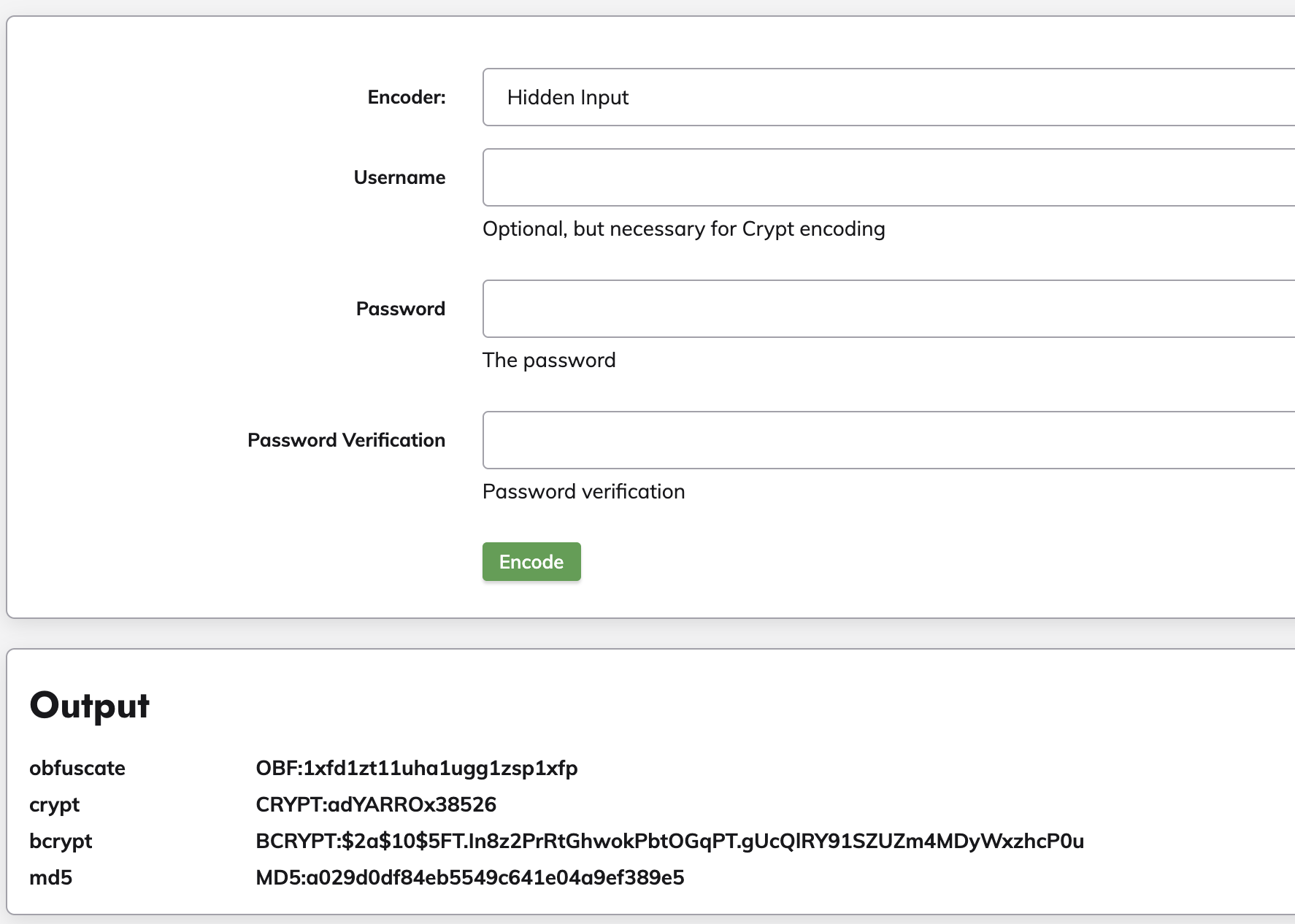
After all manipulations your password file should look like this
admin:BCRYPT:$2a$10$5FT.In8z2PrRtGhwokPbtOGqPT.gUcQ|RY91SZUZm4MDyWxzhcPOu,user,admin
and rundeck should accept your new password for admin user.
I discovered much faster way to speed up docker image creation.
I discovered much faster way to speed up docker image creation.
Just use bundle package and all current gems will be copied into vendor/cache. When bundle install runs it discovers cached gems and runs much-much faster.