What I Learned at AWS Frugality Training
Yesterday I attended an AWS GameDay on Frugality, organized by Automate-it. If you haven’t done a GameDay before — it’s AWS’s hands-on competitive format where teams get a real AWS account and a set of quests to complete under time pressure.
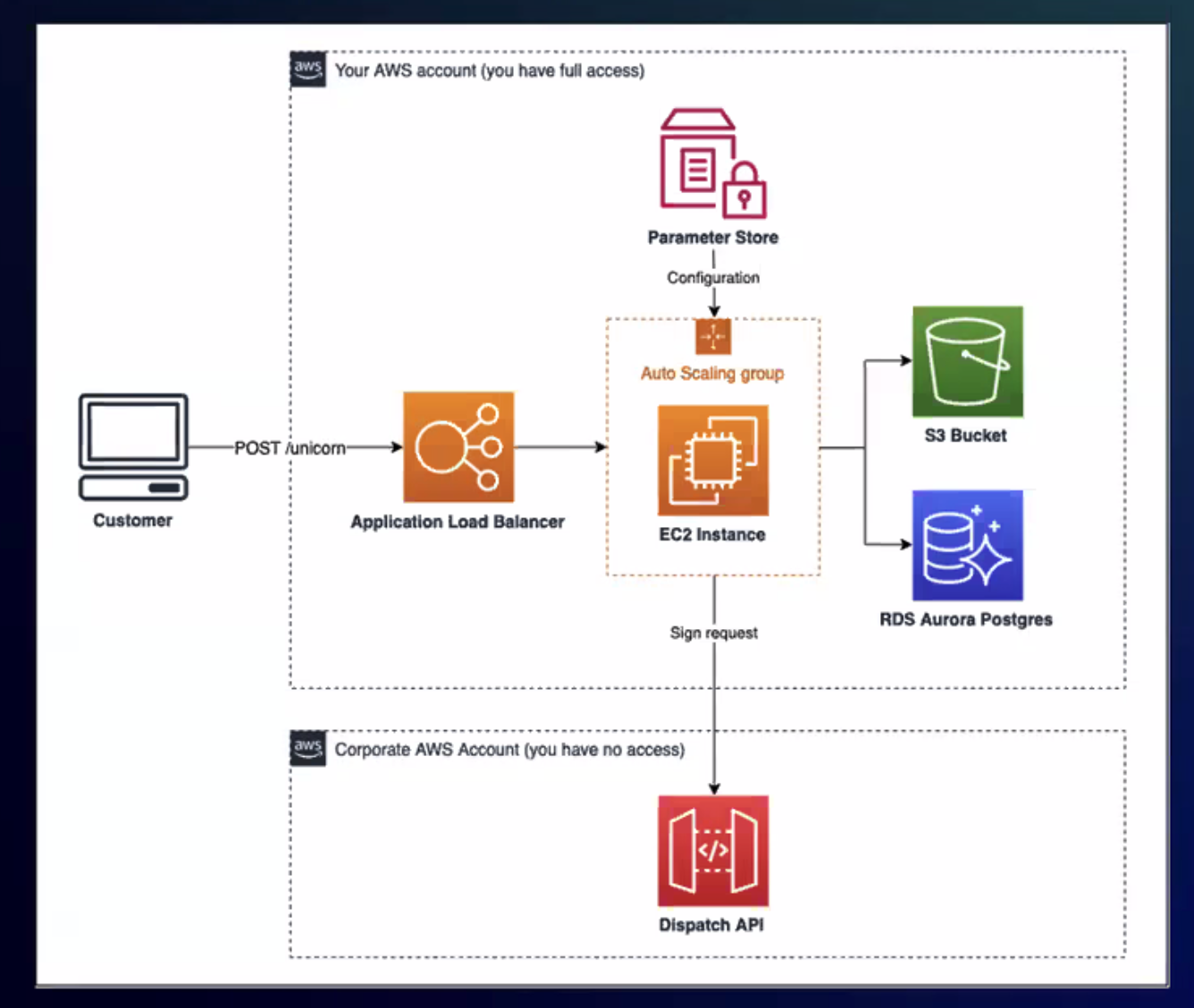
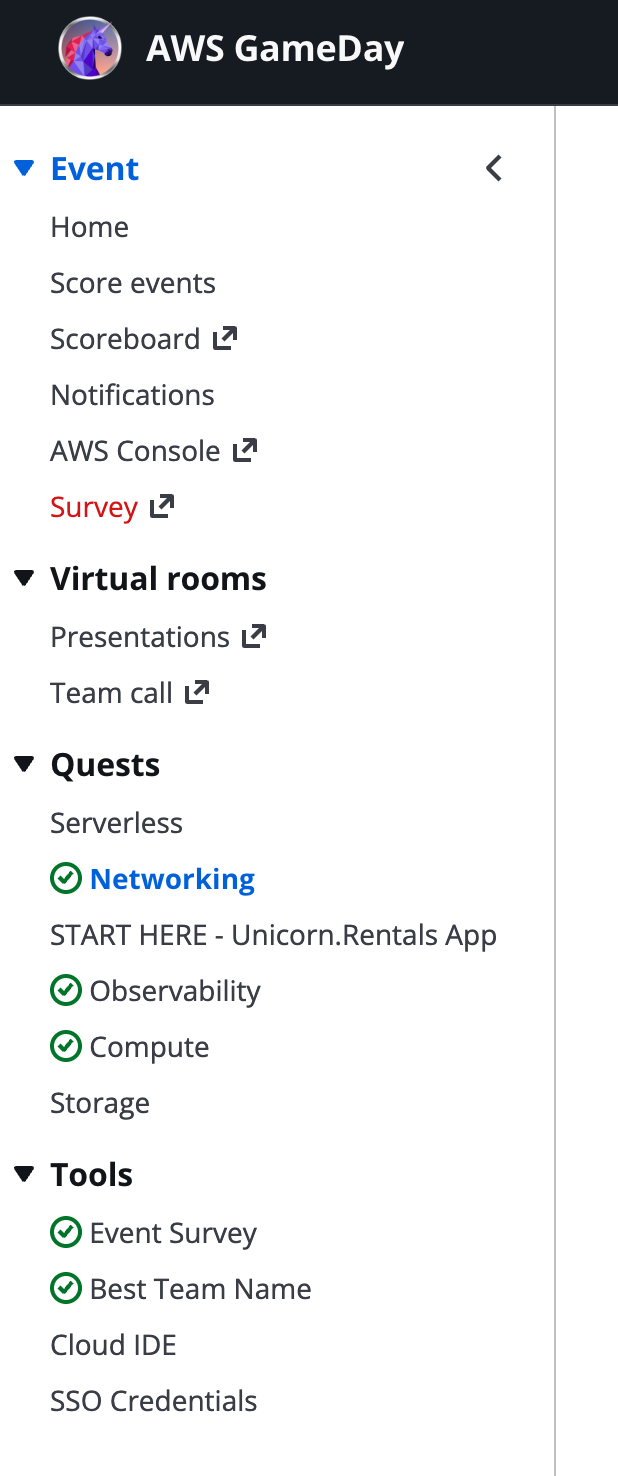
Our target was “Unicorn.Rentals,” a fictional app running on a classic AWS stack: ALB, Auto Scaling Groups, RDS Aurora, S3. The quests were split into domains — Compute, Networking, Storage, Observability, Serverless — and the job was to optimize costs without breaking anything.
Here’s what we actually did and what I took away from it.
The format
You get split into teams. Each team gets the same AWS account with an overprovisioned architecture. A scoreboard tracks your progress in real time. Then you work through the quests — each one a specific cost optimization challenge.
This format works way better than slides. You’re making real AWS CLI calls, watching ASGs roll, waiting for instances to drain. The pressure of “don’t break prod” makes it stick. Our team finished 6th with 888K points.

Graviton migration with zero downtime
The WebServer ASG was running x86 instances. Switching to Graviton (ARM64) gives you roughly 20% better price/performance, but you can’t just swap the instance type — you need an ARM64 AMI and a rolling replacement.
The trick is updating the launch template with a Graviton instance type and the matching Amazon Linux 2023 ARM64 AMI, then doing an instance refresh. The ASG replaces instances one by one, the ALB drains connections, and traffic keeps flowing. No downtime if your health checks are configured properly.
We also added a Graviton-based reader to the Aurora cluster. Same idea — better price/performance, and Aurora handles the replication automatically. You just create a new instance in the cluster with a db.r7g class.
Spot instances for workers
The Worker ASG was a perfect Spot candidate — background jobs that can tolerate interruptions. The key is using a mixed instances policy directly on the ASG (not Spot Fleet, which is the older approach):
- Multiple Graviton instance families: m7g, c7g, r7g, m6g, c6g, t4g
capacity-optimizedallocation strategy — picks pools with the most available capacityOnDemandPercentageAboveBaseCapacity: 0— all Spot, no on-demand fallback
Instance diversity is the whole game with Spot. Each instance type + AZ combination is a separate capacity pool. More pools means fewer interruptions. We used 11 different instance types across all available AZs.
Killing the NAT gateway
This one always surprises people. NAT gateways cost ~$32/month just to exist, plus $0.045/GB for data processing. If your instances only need to reach S3, a VPC Gateway Endpoint does the same thing for free.
We added the S3 VPC endpoint, verified traffic was routing through it, then deleted the NAT gateway. Immediate savings with zero application impact.
Also released an unused Elastic IP that was just sitting there costing money. These things are easy to forget about.
Bastion scheduled scaling
The bastion host was running 24/7. Nobody SSHes into anything at 3am. We set up ASG scheduled actions:
- Terminate instances at 5pm UTC every day
- Launch 3 instances at 8am UTC
Simple, obvious, saves ~60% on bastion costs. The only question is whether your team actually works within those hours.
Log retention
CloudWatch log groups were set to “never expire.” For a training environment that’s just wasteful, but I see this in production all the time. We set retention to 30 days. For most applications, if you haven’t looked at a log within a month, you’re not going to.
Flask app to Lambda
The webserver was running a Flask app that served a /gallery endpoint — fetching images from S3 and returning them. Classic candidate for Lambda: stateless, simple request/response, no persistent connections needed.
We extracted the handler, created the Lambda function, and updated the ALB listener rules to route GET /gallery to the Lambda instead of the EC2 target group. The Flask app stayed on EC2 for the rest of the routes.
This is the kind of incremental migration that actually works. You don’t rewrite the whole app — you pull out the endpoints that make sense as functions and leave the rest alone.
API Gateway caching
The last task was adding caching to an API Gateway that fronted a DynamoDB lookup Lambda. Requests came in with a user_id querystring, and the same users got queried repeatedly. Enabling the API Gateway cache with user_id as the cache key meant repeated requests were served without invoking Lambda or hitting DynamoDB at all.
What stuck with me
The team format made this genuinely engaging. Cost optimization talks usually put people to sleep. Actually doing it — under time pressure, competing with other teams — makes the lessons stick.
A few patterns came up repeatedly:
- Right-size before you optimize. Graviton and Spot are great, but if your ASG min is 5 and you need 2, start there.
- Delete what you’re not using. NAT gateways, Elastic IPs, indefinite log retention — the boring stuff adds up fast.
- Scheduled scaling is free money. If nobody uses it at night, turn it off at night.
- Incremental Lambda migration beats rewrites. Pull out stateless endpoints one at a time.
If your company uses AWS and you haven’t done a GameDay, I’d recommend it. Automate-it ran ours, but AWS also offers them through partners and at events. Reading the Well-Architected Framework docs is one thing. Competing on a scoreboard while trying not to break Unicorn.Rentals is another.